

Overview
Broadcasts let you send marketing emails — newsletters, announcements, product updates, and campaigns — to your contact audiences. Unlike transactional emails, broadcasts are unlimited on all plans. Your plan’s contact limit determines your audience size, not how many broadcasts you can send.Broadcasts are unlimited. Your plan determines how many contacts you can have — you can send unlimited broadcasts to those contacts.
How It Works
- Create a broadcast from the dashboard or API
- Design your email using the visual editor or raw HTML
- Select your target audience
- Send immediately or schedule for later
- Track opens, clicks, bounces, and unsubscribes in real time
Creating a Broadcast
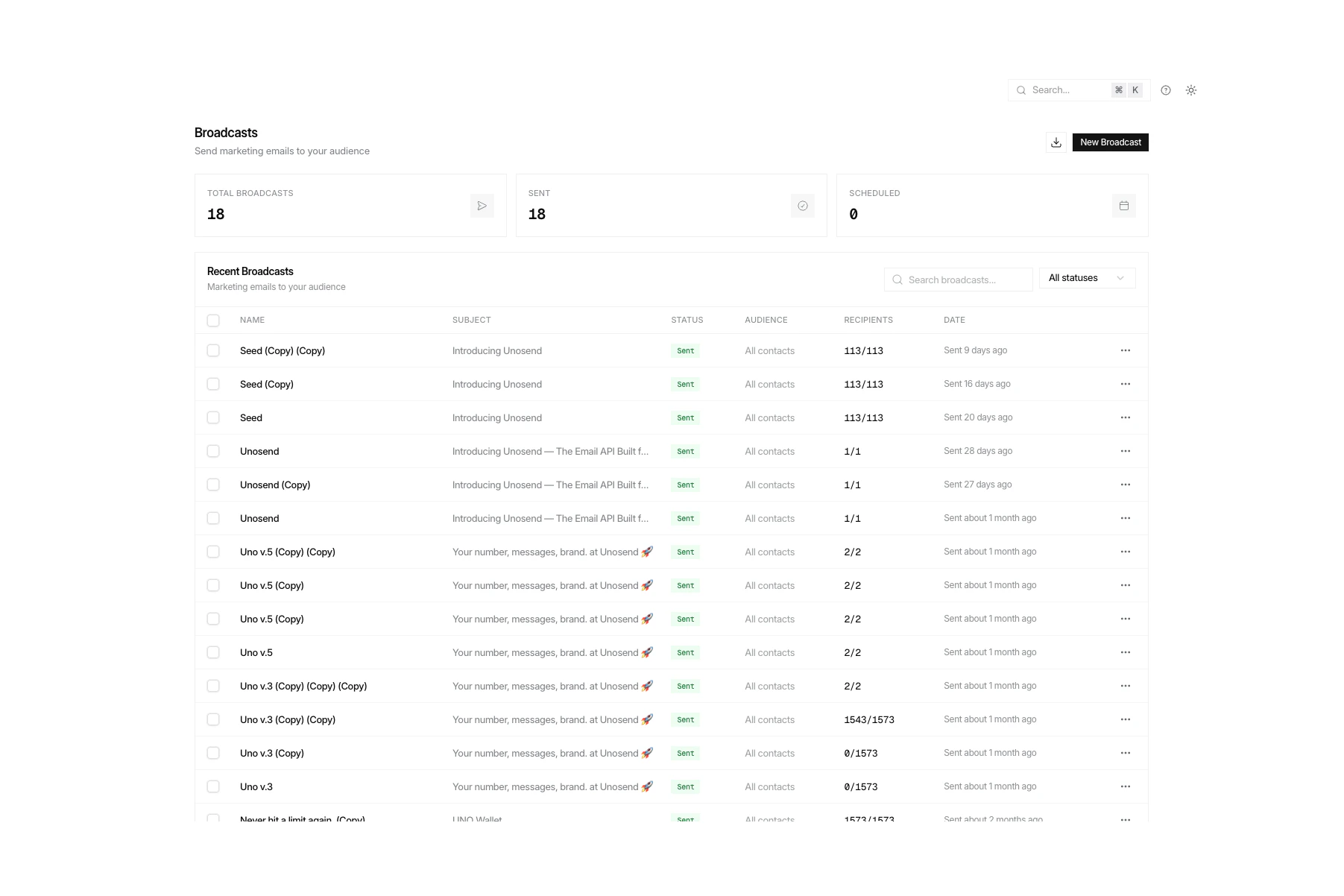
- Go to Broadcasts in the sidebar
- Click Create Broadcast
- Enter a name, subject line, and sender address
- Choose your audience
- Design your email content
- Click Send or Schedule
HTML Editor
Unosend provides two editing modes: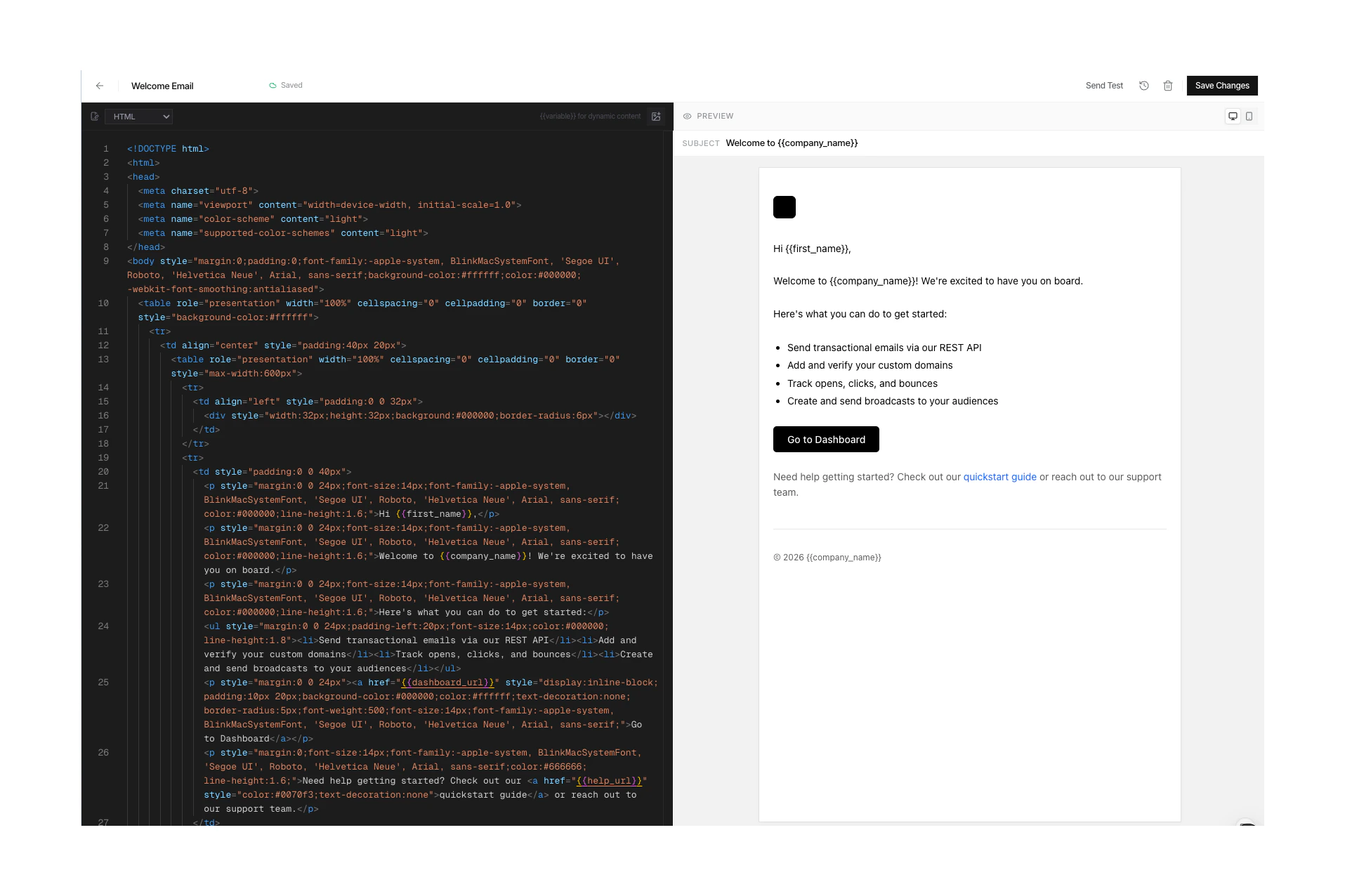
Template Variables
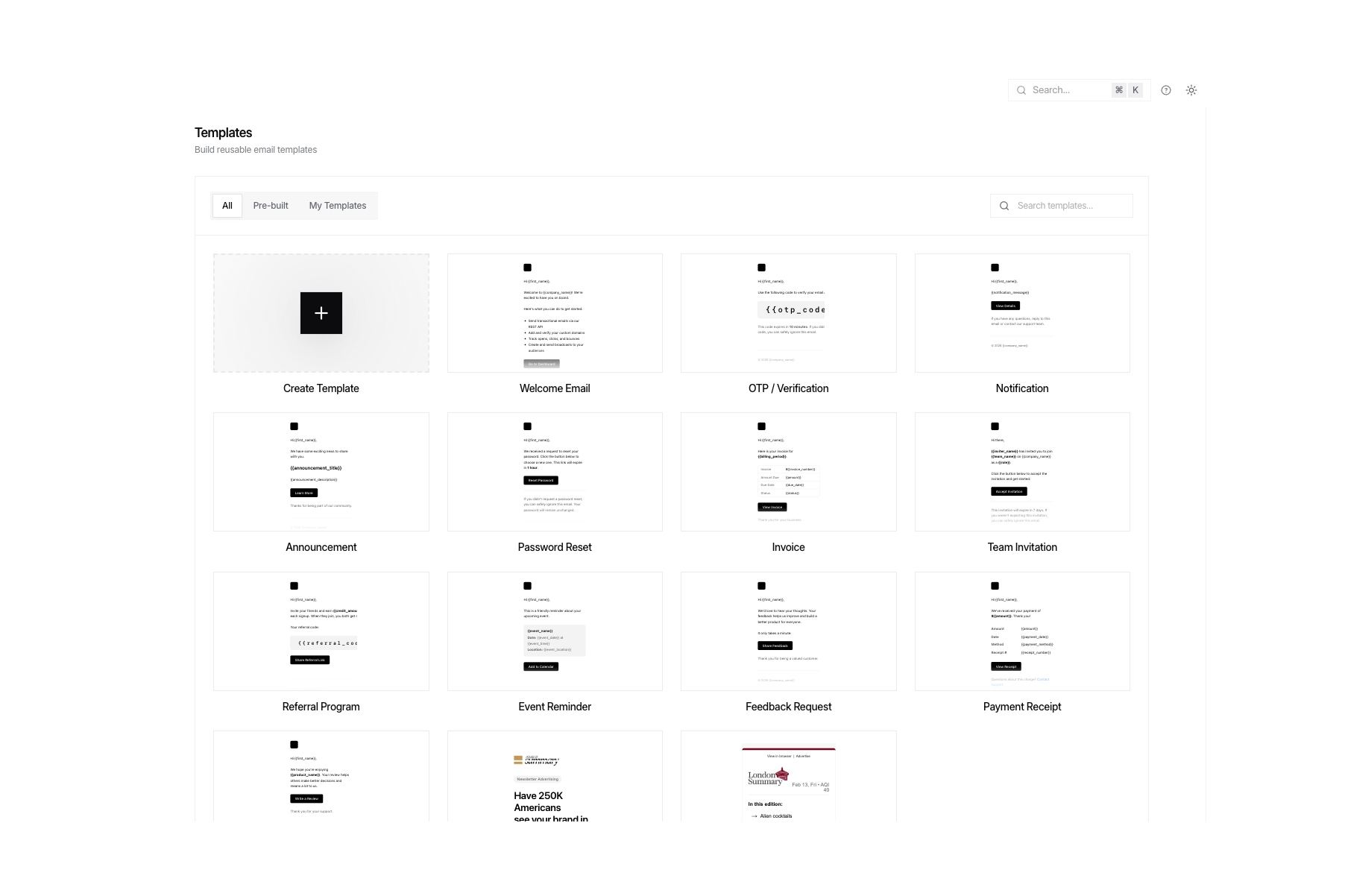
| Variable | Description | Example Output |
|---|---|---|
{{first_name}} | Contact’s first name | Alice |
{{last_name}} | Contact’s last name | Smith |
{{email}} | Contact’s email address | alice@example.com |
{{unsubscribe_url}} | One-click unsubscribe link | https://unosend.co/unsubscribe/... |
Example
Unsubscribe Handling
Unosend automatically generates a signed unsubscribe URL for each recipient. When clicked:- The contact is marked as
unsubscribedin your audience - They won’t receive future broadcasts
- A
List-Unsubscribeheader is included for one-click unsubscribe in email clients
{{unsubscribe_url}} variable to your template.
Scheduling
Schedule broadcasts for optimal delivery times:- In the broadcast editor, click Schedule instead of Send
- Pick a date and time
- The broadcast will be queued and sent automatically
Sending Speed
Broadcasts are processed by parallel workers for fast delivery:| Audience Size | Approximate Time |
|---|---|
| 1,000 | ~10 seconds |
| 10,000 | ~2 minutes |
| 100,000 | ~20 minutes |
| 1,000,000 | ~3 hours |
- Gmail: 120 emails/min, TLS required
- Outlook: 80 emails/min, TLS required
- Yahoo: 30 emails/min
- Other providers: 100 emails/min
Audiences & Targeting
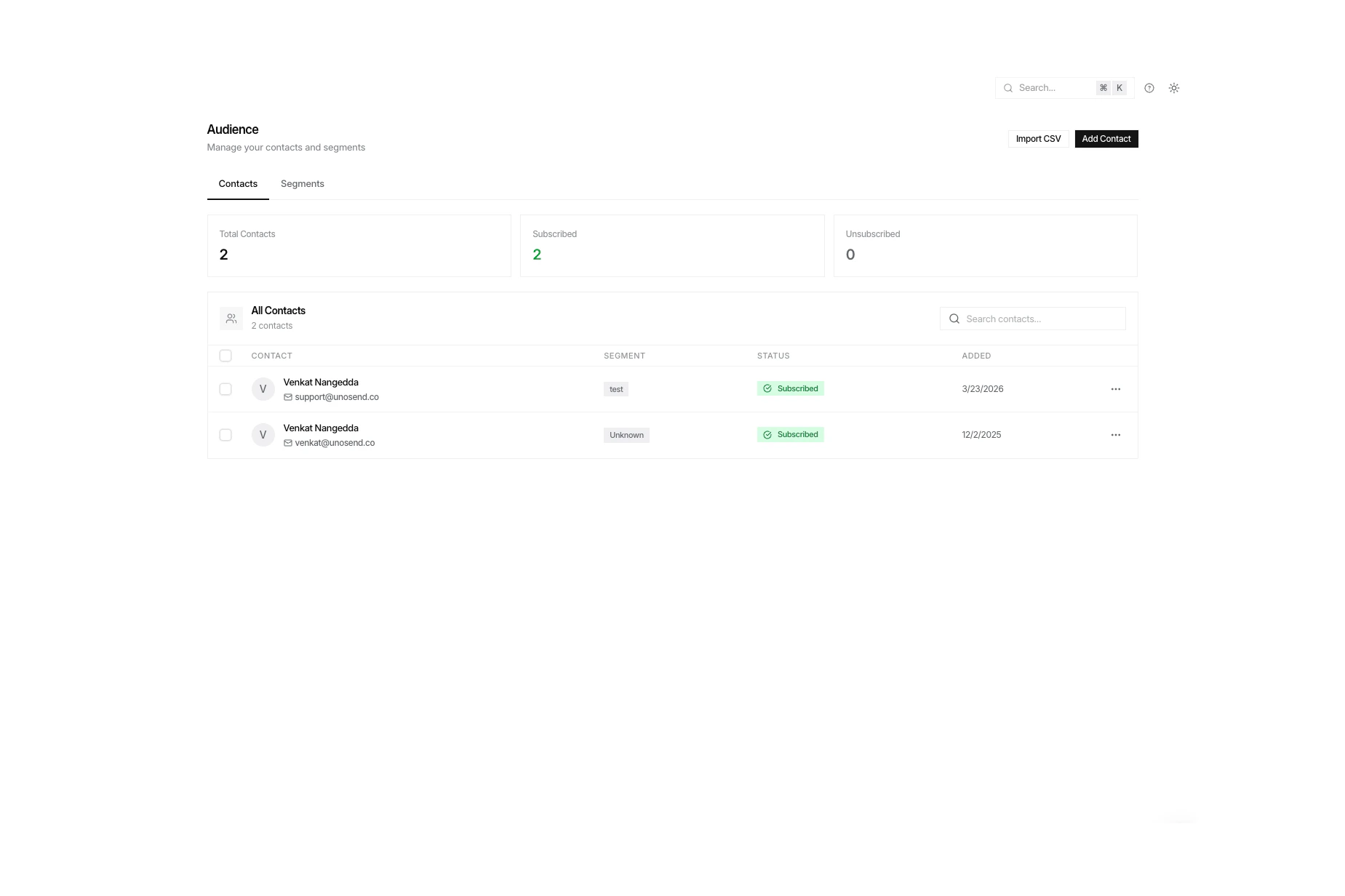
- Newsletter Subscribers — weekly digest recipients
- Product Updates — feature announcement list
- Customers — paying customer communications
Audiences Guide
Learn how to create and manage audiences
Analytics
After sending, track performance in real time: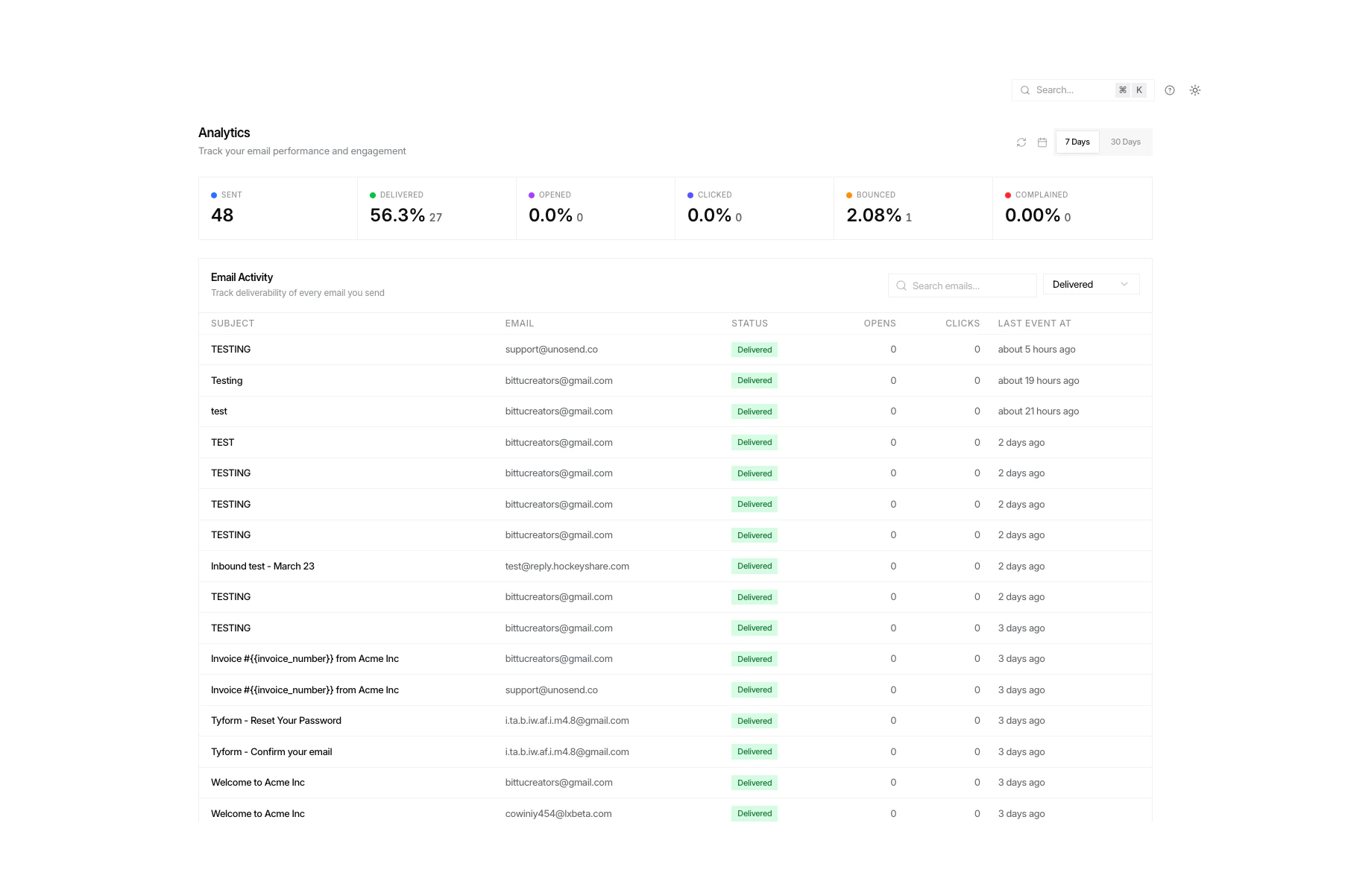
| Metric | Description |
|---|---|
| Delivered | Successfully delivered to inbox |
| Opened | Recipient opened the email |
| Clicked | Recipient clicked a link |
| Bounced | Email bounced (hard or soft) |
| Unsubscribed | Recipient unsubscribed |
Best Practices
Write compelling subject lines
Write compelling subject lines
Keep subject lines under 50 characters. Use personalization: ”, your weekly update is here” outperforms generic subjects by 26%.
Segment your audience
Segment your audience
Don’t blast everyone. Create separate audiences for different interests. Targeted campaigns have 3x higher click rates.
Test before sending
Test before sending
Always send a test email to yourself first. Check links, images, mobile rendering, and variable replacement.
Monitor bounce rates
Monitor bounce rates
Keep bounce rates under 5%. High bounce rates can trigger automatic account suspension. Use email validation to clean your list before sending.
Respect unsubscribes
Respect unsubscribes
Always include an unsubscribe link. Process unsubscribes immediately. This is required by law (CAN-SPAM, GDPR) and improves deliverability.
Contact Limits by Plan
| Plan | Contacts | Broadcasts |
|---|---|---|
| Free | 1,000 | Unlimited |
| 10K | 2,500 | Unlimited |
| 25K | 5,000 | Unlimited |
| 60K | 10,000 | Unlimited |
| 100K | 25,000 | Unlimited |
| 200K | 50,000 | Unlimited |
| 1M | 500,000 | Unlimited |
| Enterprise | Unlimited | Unlimited |