

SMTP Credentials
Use these credentials to connect any SMTP-compatible application to Unosend: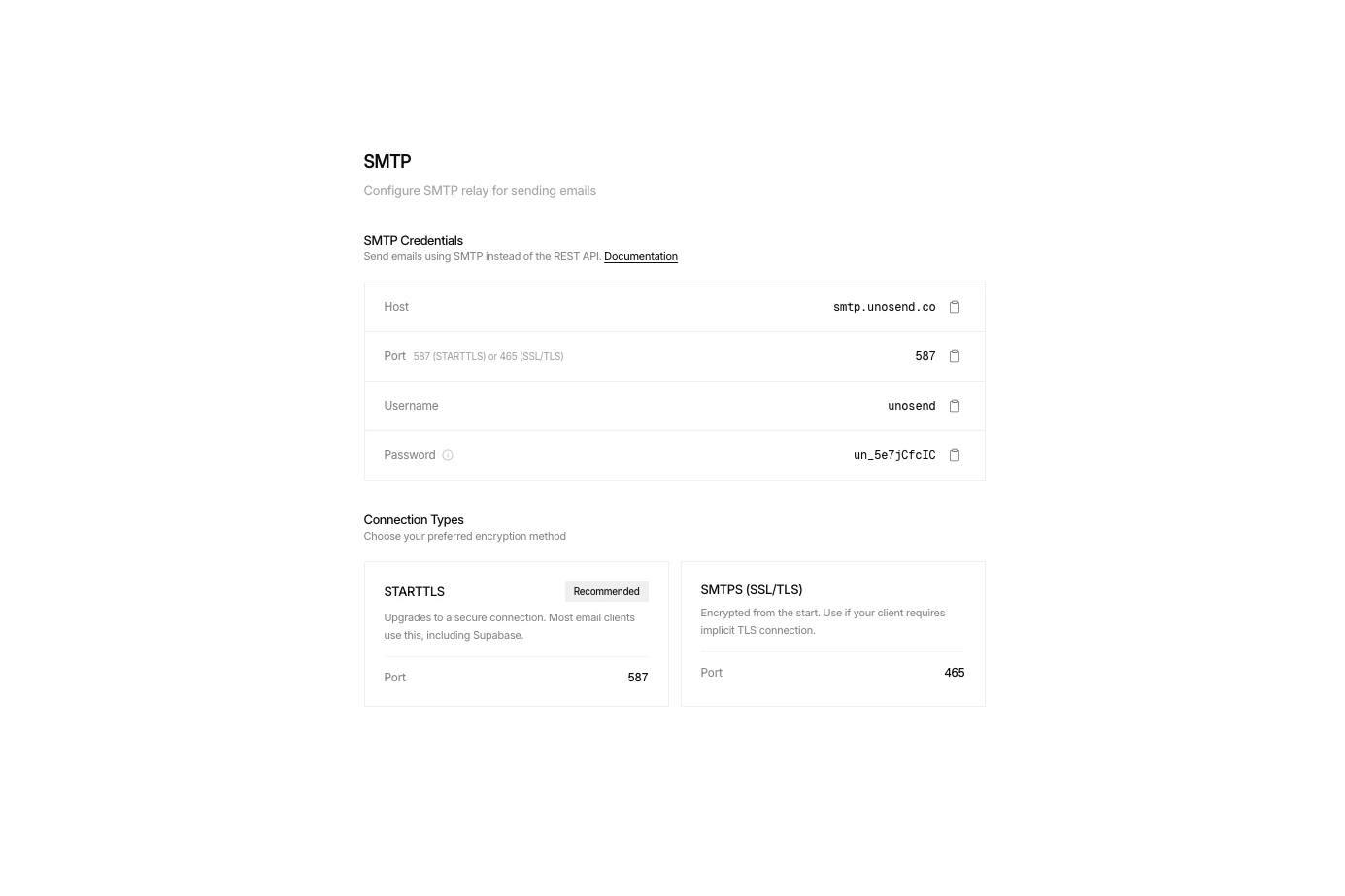
Connection Security
STARTTLS (Recommended)
Upgrades the connection to secure. Works with most email clients and services like Supabase.
Port 587SMTPS (Implicit TLS)
Immediately connects via SSL/TLS. Use when your client requires implicit TLS.
Port 465Quick Start Examples
Email Tracking via SMTP
Track opens and clicks for emails sent via SMTP using custom headers. Add these headers to your email message to enable tracking:Tracking headers are automatically removed before the email is delivered, so recipients won’t see them.
Examples with Tracking
Supported Integrations
Unosend SMTP works with any application that supports SMTP:Nodemailer
Laravel
Django
Rails
Supabase
WordPress
NextAuth
Auth0
Strapi
Ghost
Discourse
GitLab
Next Steps
Domain Verification
Verify your domain for better deliverability
Sending Emails
Learn about advanced email options