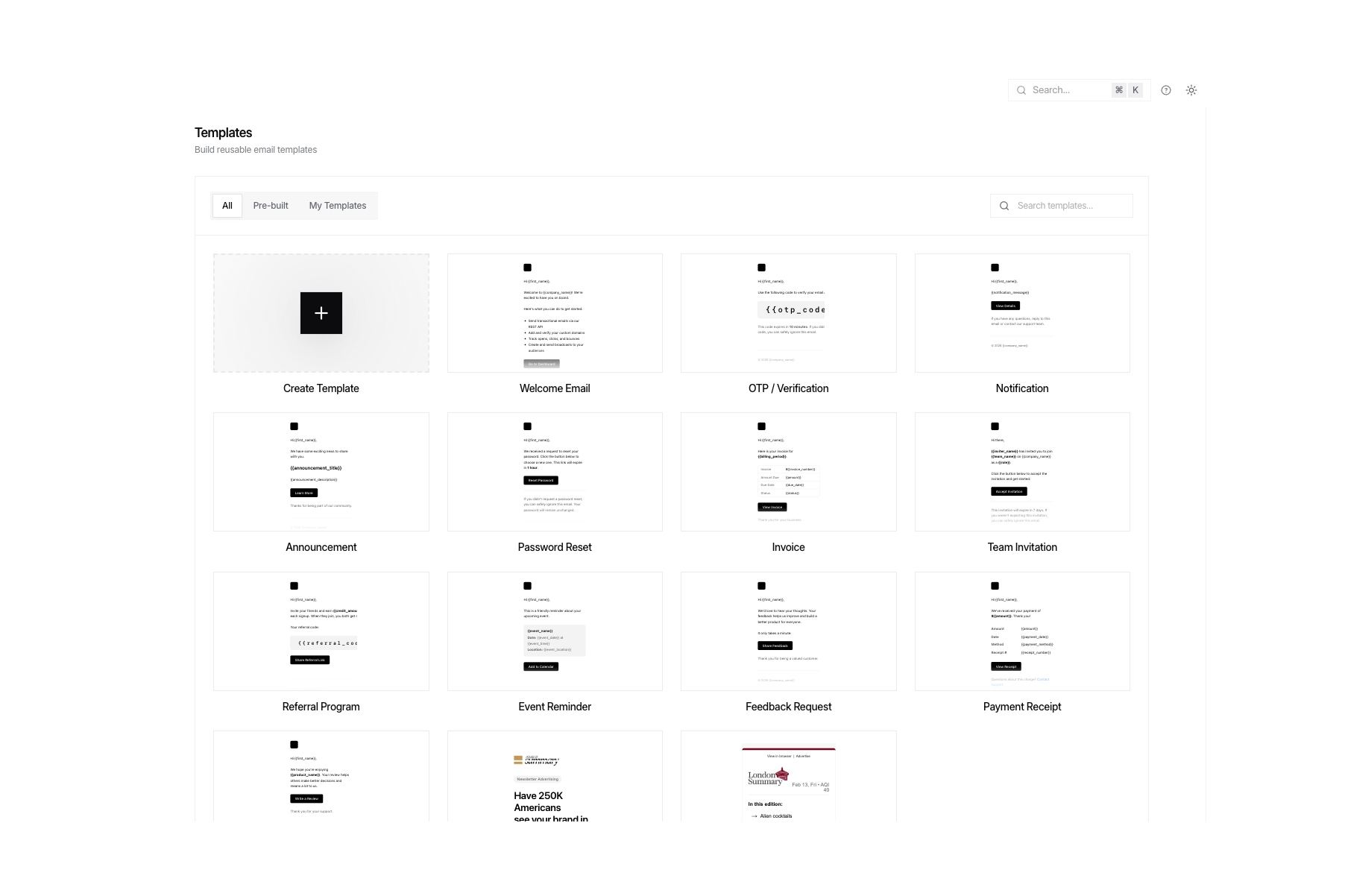
 * **Consistency** - Maintain brand consistency across all emails
* **Efficiency** - Write once, use many times
* **Personalization** - Dynamic variables for each recipient
* **Easy Updates** - Change template once, affects all future emails
## Creating a Template
Create a template with dynamic variables using double curly braces:
* **Consistency** - Maintain brand consistency across all emails
* **Efficiency** - Write once, use many times
* **Personalization** - Dynamic variables for each recipient
* **Easy Updates** - Change template once, affects all future emails
## Creating a Template
Create a template with dynamic variables using double curly braces:
Thanks for joining {{company_name}}.
Go to Dashboard", "text": "Welcome, {{first_name}}! Thanks for joining {{company_name}}. Visit: {{dashboard_url}}" }' ``` ```javascript JavaScript theme={null} await fetch('https://api.unosend.co/templates', { method: 'POST', headers: { 'Authorization': 'Bearer un_your_api_key', 'Content-Type': 'application/json' }, body: JSON.stringify({ name: 'Welcome Email', subject: 'Welcome to {{company_name}}, {{first_name}}!', html: 'Thanks for joining {{company_name}}.
Go to Dashboard', text: 'Welcome, {{first_name}}! Thanks for joining {{company_name}}. Visit: {{dashboard_url}}' }) }); ``` ```python Python theme={null} import requests requests.post('https://api.unosend.co/templates', headers={'Authorization': 'Bearer un_your_api_key'}, json={ 'name': 'Welcome Email', 'subject': 'Welcome to {{company_name}}, {{first_name}}!', 'html': 'Thanks for joining {{company_name}}.
Go to Dashboard', 'text': 'Welcome, {{first_name}}! Thanks for joining {{company_name}}. Visit: {{dashboard_url}}' } ) ```No items yet. Start shopping!
{{/if}} ``` ### Loops ```html loops.html theme={null}| {{name}} | {{quantity}} | {{price}} |
Total: {{total}}
``` ## Sending Emails with Templates Use `template_id` instead of `html` when sending: ```bash cURL theme={null} curl -X POST https://api.unosend.co/emails \ -H "Authorization: Bearer un_your_api_key" \ -H "Content-Type: application/json" \ -d '{ "from": "hello@yourdomain.com", "to": ["john@example.com"], "template_id": "tpl_xxxxxxxxxxxxxxxx", "variables": { "first_name": "John", "company_name": "Acme Inc", "dashboard_url": "https://app.acme.com/dashboard", "is_premium": true } }' ``` ## Batch Sending with Templates Send personalized emails to multiple recipients efficiently using the batch endpoint: ```bash cURL theme={null} curl -X POST https://api.unosend.co/emails/batch \ -H "Authorization: Bearer un_your_api_key" \ -H "Content-Type: application/json" \ -d '{ "emails": [ { "from": "hello@yourdomain.com", "to": ["john@example.com"], "template_id": "tpl_xxxxxxxxxxxxxxxx", "variables": { "first_name": "John", "plan": "Pro" } }, { "from": "hello@yourdomain.com", "to": ["jane@example.com"], "template_id": "tpl_xxxxxxxxxxxxxxxx", "variables": { "first_name": "Jane", "plan": "Free" } } ] }' ``` ## Common Template Examples ### Order Confirmation ```html order-confirmation.html theme={null}Hi {{customer_name}},
Thanks for your order #{{order_number}}.
| Item | Qty | Price |
|---|---|---|
| {{name}} | {{quantity}} | {{price}} |
Total: {{total}}
Shipping to: {{shipping_address}}
``` ### Password Reset ```html password-reset.html theme={null}Hi {{first_name | default: "there"}},
We received a request to reset your password.
Reset PasswordThis link will expire in {{expiry_hours}} hours.
If you didn't request this, please ignore this email.
``` ## Managing Templates ### Update a Template ```bash cURL theme={null} curl -X PATCH https://api.unosend.co/templates/tpl_xxxxxxxx \ -H "Authorization: Bearer un_your_api_key" \ -H "Content-Type: application/json" \ -d '{ "subject": "Welcome aboard, {{first_name}}!", "html": "